
Secure RTSP streaming
Understanding the RTSPS and SRTP protocols
Encrypted video streaming from the camera through the viewers
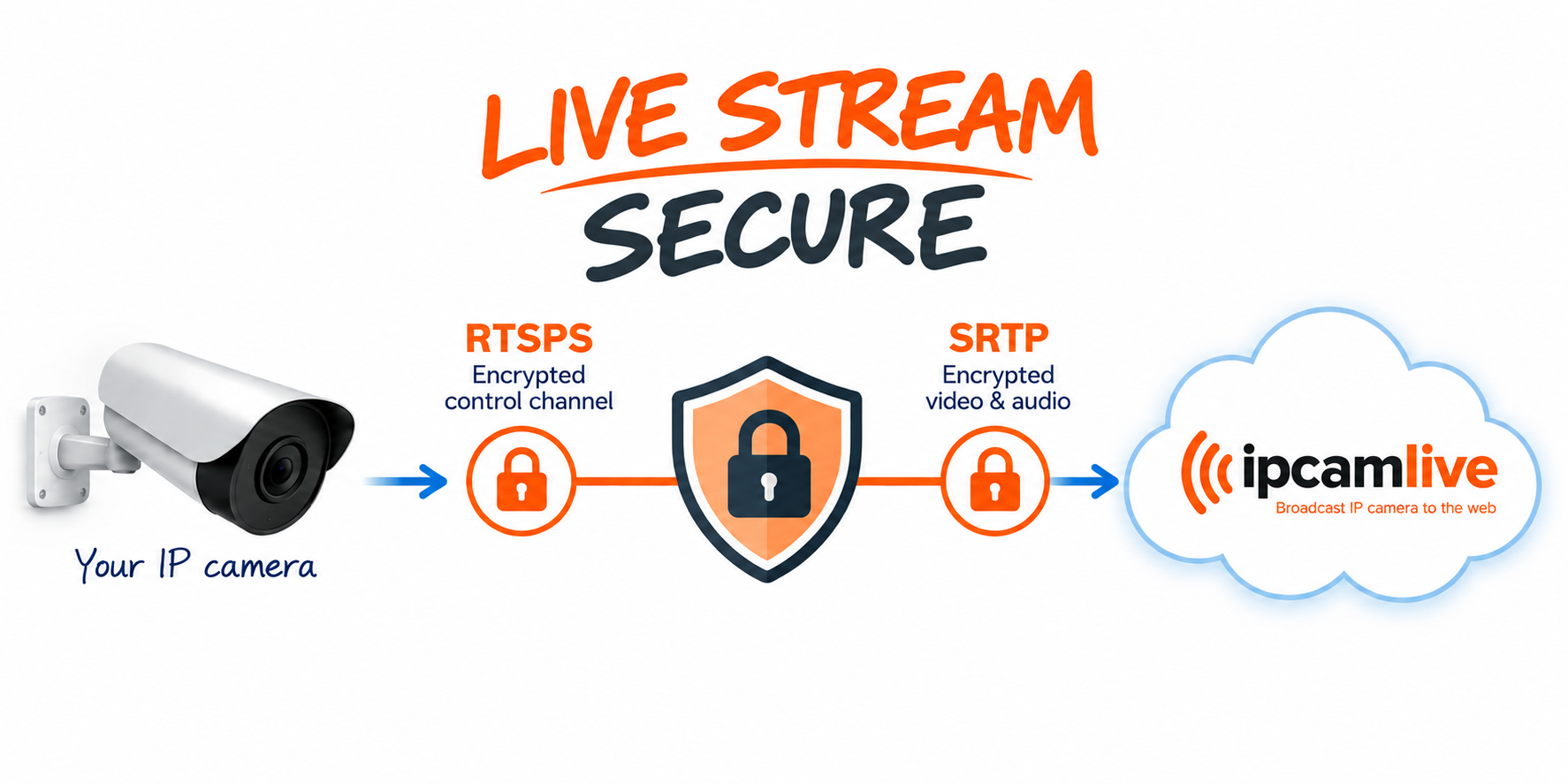
Secure RTSP Streaming with RTSPS and SRTP
Streaming video from a server to a viewer is typically secured using the widely adopted HTTPS protocol. However, securing the connection between an IP camera and the streaming server requires additional technologies.
IP cameras commonly use the Real-Time Streaming Protocol (RTSP) to establish and control video and audio streams. Traditional RTSP was not designed with encryption enabled by default. Although credentials can be protected using mechanisms such as Digest Authentication, a standard RTSP connection may still expose control messages and, depending on the transport configuration, the associated media traffic to network observers.
There are two main technologies that can be used to secure an RTSP-based streaming system: RTSPS and SRTP.
RTSPS — RTSP over TLS
RTSP can be transported over TLS to create an encrypted control connection. This is commonly referred to as RTSPS and typically uses a URL beginning with: rtsps://
RTSPS protects the communication used to establish and control the stream, helping prevent unauthorized parties from reading or modifying RTSP messages exchanged between the camera and the server.
SRTP — Secure Real-time Transport Protocol
RTSP is primarily responsible for controlling the streaming session, while the actual video and audio are typically transported using RTP (Real-time Transport Protocol). Standard RTP does not provide encryption for the media it carries.
When the media itself needs to be protected, SRTP (Secure Real-time Transport Protocol) can be used instead of ordinary RTP. SRTP extends RTP with security mechanisms that provide encryption and authentication for video frames and audio data.
SRTP commonly uses AES-based symmetric encryption. Because symmetric encryption relies on shared cryptographic key material, both sides of the communication must have the information required to encrypt and decrypt the media securely.
Securing Both Control and Media Traffic
It is important to distinguish between securing the RTSP control channel and securing the actual media stream. Encrypting RTSP with TLS does not automatically guarantee that the RTP video and audio traffic is also encrypted. The exact security architecture depends on the camera, server, client, and negotiated transport method.
For comprehensive protection, RTSPS can secure the RTSP control connection while SRTP protects the video and audio data itself.
IPCamLive considers data security an important part of live video streaming and supports both RTSPS and SRTP, enabling secure and encrypted communication between compatible IP cameras and IPCamLive servers.
This protocol is only supported by the major camera manufacturers (AXIS, Bosch, Hikvision, etc.), so first you need to check whether your camera supports this protocol or not.
Unfortunately, the implementation of this protocol is a little different among camera manufacturers.
Axis Cameras
Axis cameras are using a different port for non-secure (RTSP/RTP) and secure (RTSPS/SRTP) streaming. Axis calls this option RTSPS streaming, and you can enable it on the Advance Settings/Network page. Here you can also set up the port number where the camera listens for secure connection.
RTSPS settings on the web interface:
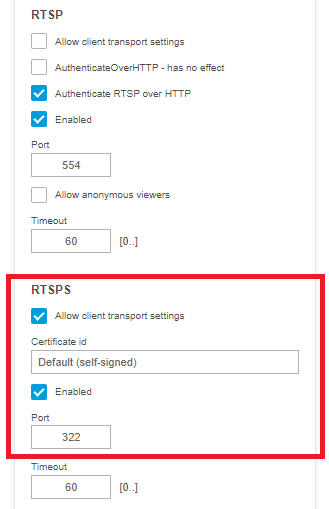
After enabling the secure streaming option, you can access both secure and non-secure stream by addressing the proper port:
| Type | Stream URL |
|---|---|
| Non-secure RTSP/RTP stream | rtsp://cameraip:554/axis-media/media.amp |
| Secure RTSP/RTP stream | rtsp://cameraip:322/axis-media/media.amp |
Bosch Cameras
Bosch cameras are also using a different port for non-secure (RTSP/RTP) and secure (RTSPS/SRTP) streaming. For using secure RTSP streaming, first RTSPS the option has to be enabled on the Network/Network services page. Bosch cameras provide a secure RTSP stream on port 9554 and this port number cannot be changed.
RTSPS settings on the web interface:

After enabling the secure streaming option, you can access both secure and non-secure stream by addressing the proper port:
| Type | Stream URL |
|---|---|
| Non-secure RTSP/RTP stream | rtsp://cameraip:554/ |
| Secure RTSP/RTP stream | rtsps://cameraip:9554/ |
Please note that Bosch cameras require using rtsps:// instead of rtsp:// scheme when opening the secure stream!